Customer Scans & Orders
The customer arrives, sits at a table, and scans the Qikbite QR code. They browse your e-menu, select their items (like a Latte and a Croissant), and place the order directly from their phone.
Instant Order Sync
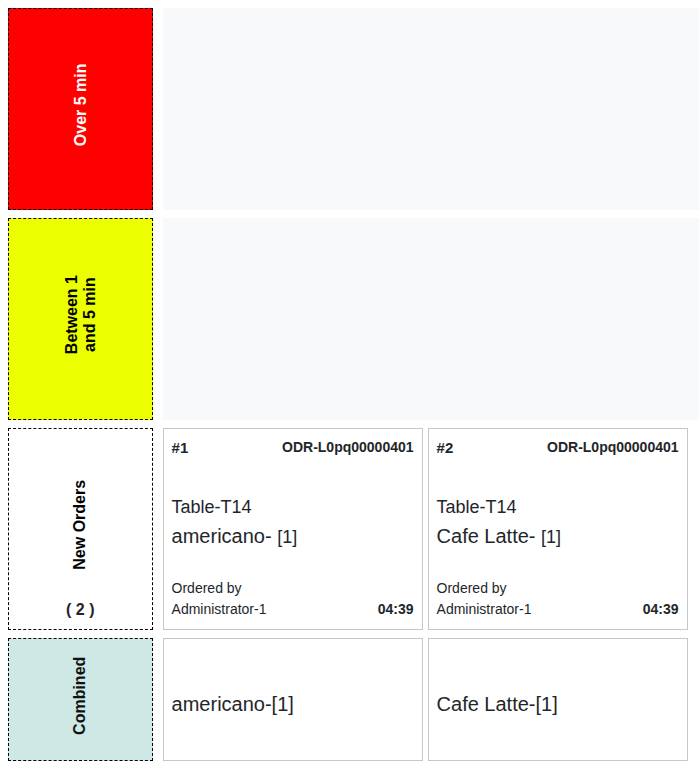
The order instantly appears on your Qikbite POS Cashier view and is simultaneously sent to the Barista's Kitchen Order Queue Station (OQS). No manual entry, no errors.
Barista Makes the Order
The barista sees the new order (Table 5: 1x Latte, 1x Croissant) on their screen and starts preparing it. They mark the order as complete on the OQS when it's ready.
Serve & Effortless Payment
A waiter delivers the order to Table 5. The customer enjoys their coffee. When ready to leave, they can pay directly on their phone via the Qikbite menu, or the waiter can close the tab on the POS.



Order at the Counter
A customer walks up to the counter. The cashier uses the intuitive Qikbite POS to quickly take their order (e.g., "1x Espresso to go, name is 'Mark'").
Instant Payment & Sync
The customer pays immediately at the counter (cash or MMQR). As soon as the cashier finalizes the order, it's sent to the Barista's OQS (Order #105: 'Mark', 1x Espresso).
Preparation & Pickup
The barista makes the espresso and calls out "Mark!" or "Order 105!". The customer, waiting in the pickup area, grabs their coffee and leaves. The order is marked complete on the OQS.
Fast, Simple, Done.
The Quick Service flow is complete. The system minimizes wait times, reduces cashier errors, and keeps the line moving, increasing your throughput during peak hours.


